
Combining a delivery: what goes in the box and what cannot
Combining is the one decision on a PonyBuy haul that you make alone, with no default and no prompt. Items sit in the warehouse individually. When you submit a parcel you are choosing a subset of them, and that subset is what gets weighed, measured, declared and billed as a unit.
PonyBuy recommends it in writing, and in the same article warns you not to overdo it. Both halves are below, with the reasoning each one rests on.
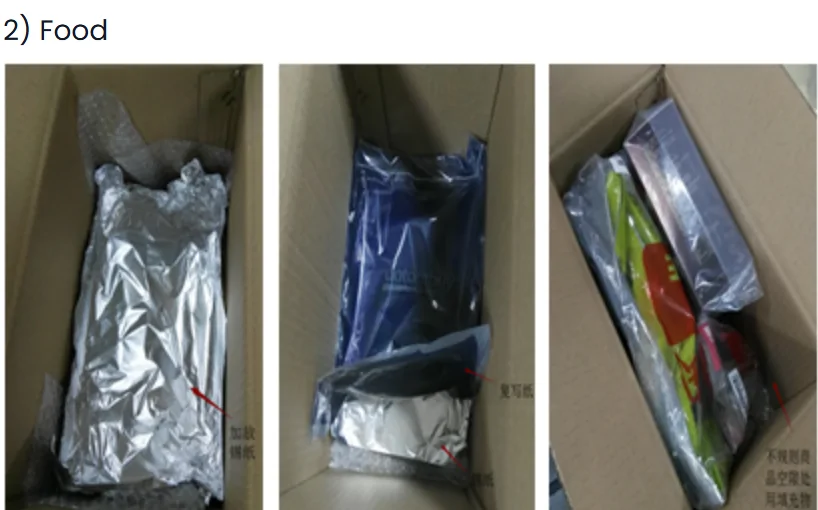
How the mechanism actually saves money
Every parcel carries a first weight charge and a handling fee no matter how little is inside it. Continued weight is billed in steps, and a partial step is charged as a full one. Combining removes the repeats.

One parcel pays one first weight
Three parcels pay three. On the rate structure PonyBuy uses in its example that is the single largest line on the bill.
One parcel pays one handling fee
Small on its own, and it multiplies exactly as fast as the first weight does.
Steps get used more efficiently
A 700 g item on its own wastes most of a 500 g step. Inside a bigger box that same overflow shares a step with everything else.
The saving is not a percentage
It is a fixed amount per parcel avoided. That is why it is worth most on several light items and least on one heavy one.
The calculator
Run your own weights before you submit anything
Loaded with PonyBuy's own worked example so you can see it reproduce 1071 against 645. Change the rates to your route, add your real weights, and add the box dimensions if you are on a route that measures volume.

Three flags that stop a box being combined
These are not warnings, they are refusals. The submit screen simply will not let the parcel through.
The item carries a mailing restriction
Warehouse staff set restrictions from the properties of the goods once they arrive. Selecting everything in the warehouse and submitting it together will run into whichever item is restricted.
You can ask customer service to change a restriction. PonyBuy decides case by case according to the actual condition of the product, and if they allow it the risk that follows is explicitly yours.
The item is marked packed separately
This flag means what it says: the item cannot be submitted for delivery together with other products at all. There is no workaround described.
No routes are left to choose from
Routes are filtered by the restrictions on everything in the parcel, so one awkward item can empty the list for the whole box. Clicking View Reason on the route you wanted names the cause, and online customer service can confirm it.
The usual fix is to split that item out rather than to fight the restriction.
Liquids and medicines have a ratio, not a ban
PonyBuy recommends that liquids and medicines make up no more than a tenth of the products in a parcel, and separately notes that medicines are restricted by customs policy and should be sent thoughtfully.
Read as a planning rule, that means a skincare order is easier to send alongside a clothing haul than on its own, and a parcel that is mostly liquids is the shape to avoid.
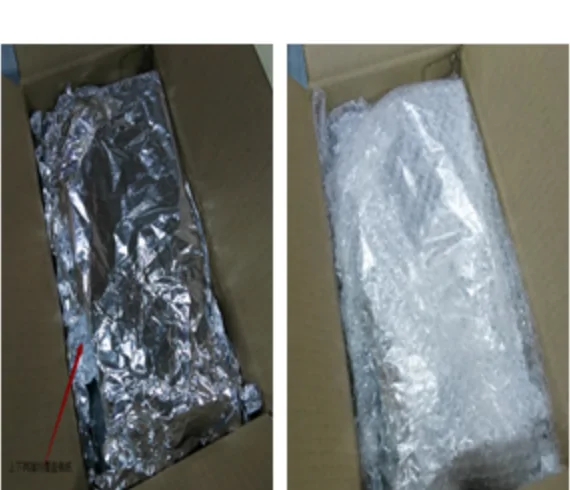
Where the upper limit is, and what it is made of
There is no rule that stops you shipping a heavy box. There is a documented change in how likely it is to be treated as commercial, which is a customs question with customs consequences.
What PonyBuy says pushes you toward commercial
- A parcel over 10 KG has a relatively high chance of being considered commercial
- An excessive quantity of the same item, whatever the total weight
- High declared value on a single parcel
- Heavy parcels generally, listed as increasing inspection probability
What that actually costs you
- A higher chance of inspection, which is time rather than money
- Possible duties assessed differently from a personal parcel
- Risk of return, fines or destruction charges, all borne by the recipient
- No refusal by PonyBuy: they ship it, the exposure is yours


Declaration is a field you fill in, not something done for you
At submission you choose between system declare, where the platform derives the value, and personalised declare, where you set it. PonyBuy asks for a reasonable figure and spells out both failure modes: declare too high and you pay more tax, declare too low and you invite inspection.
Combining changes this decision, because one box now carries the declared value of everything inside it. A pile of small parcels that each sat under a threshold can become one parcel that does not.
When the box can actually leave
Once a parcel reads packed, dispatch or courier pickup follows a fixed schedule. Couriers do not work weekends or public holidays, and pickups shift accordingly. PonyBuy lists this as reference only.
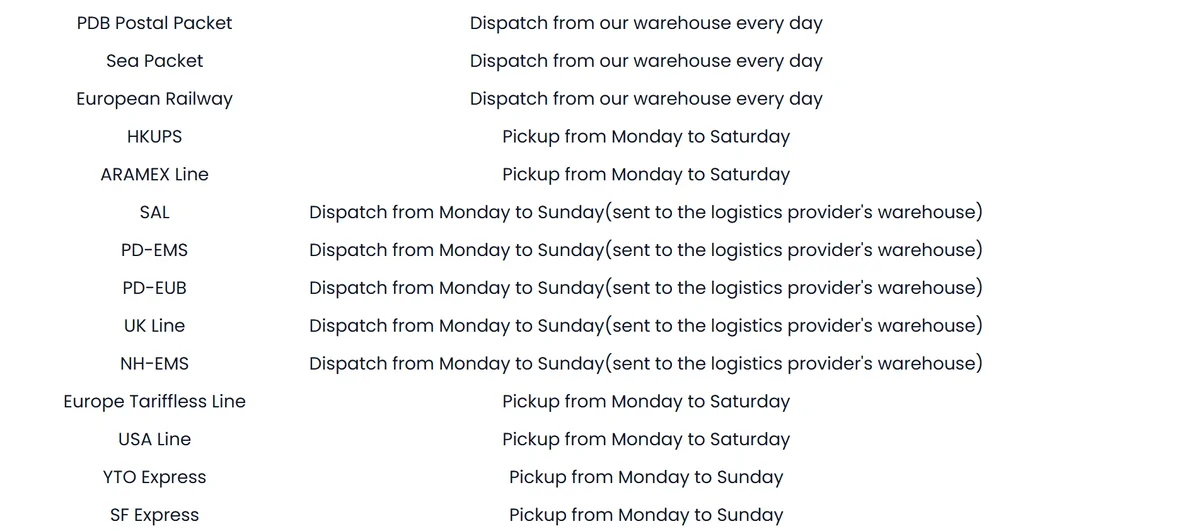
| Pattern | Routes listed under it |
|---|---|
| Pickup Monday to Sunday | GD-EMS, GD-EUB, GD-E-EMS, EUB-T, YTO Express, SF Express |
| Pickup Monday to Saturday | DHL, DHL Heavy Cargo Standard Express, HKUPS, ARAMEX Line, Europe Tariffless Line, USA Line |
| Dispatched from the PonyBuy warehouse every day | KR-EMS, PDB Postal Packet, Sea Packet, European Railway |
| Dispatched to the courier warehouse Monday to Sunday | Europe DHL Line, USA Line (Small), UK Line (Small), SAL, PD-EMS, PD-EUB, UK Line, NH-EMS |
Twenty four routes as listed in Parcel Dispatch and Pick-up Time, checked 2026-08-06. PonyBuy notes the real schedule follows each courier. Original page.
The clock you are deciding inside
Free storage runs ninety days from the moment an order reads stored. After that, with no parcel submitted and no response from you, PonyBuy describes the goods as considered given up and destroyed.
The paid extension is narrower than it first looks: it applies to items already stored between day 60 and day 90, runs to a maximum of six months, and is charged per product ID per month. Waiting for one more item to arrive so you can combine is reasonable. Waiting three months is a decision with a price on it.
