
Billing weight: why the number moves between submitting and shipping
You pay a deposit on one number and settle against another. Both are called billing weight, they are produced at different moments by different measurements, and the gap between them is the single most common surprise on a PonyBuy haul.
None of this is hidden. It is spread across three help articles that never link to each other.
First, the route decides whether your box is measured or only weighed
Some routes bill on actual weight alone. Others calculate a volumetric weight as well and charge on whichever of the two is larger. PonyBuy divides its routes into postal, express and exclusive categories and says the weighing standard differs between them.
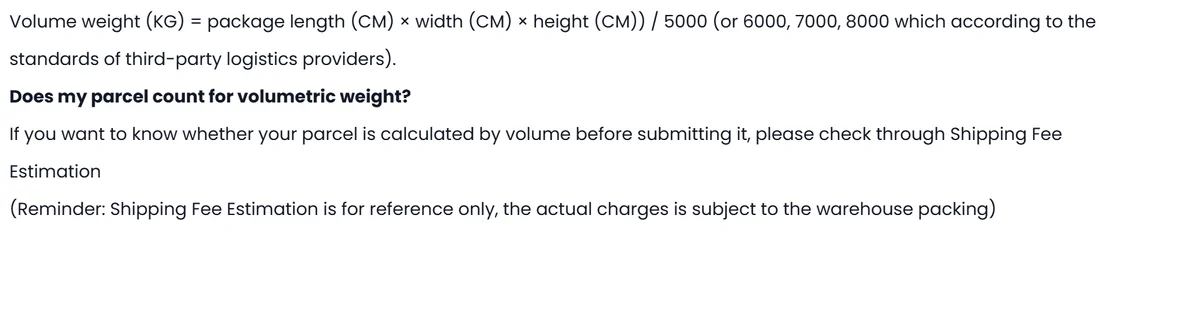
The volumetric formula is length times width times height in centimetres, divided by 5000. The divisor can also be 6000, 7000 or 8000 depending on the courier, which changes the answer by a lot, so it is worth knowing which one your route uses before you optimise anything.
This is why the warehouse cuts cartons down
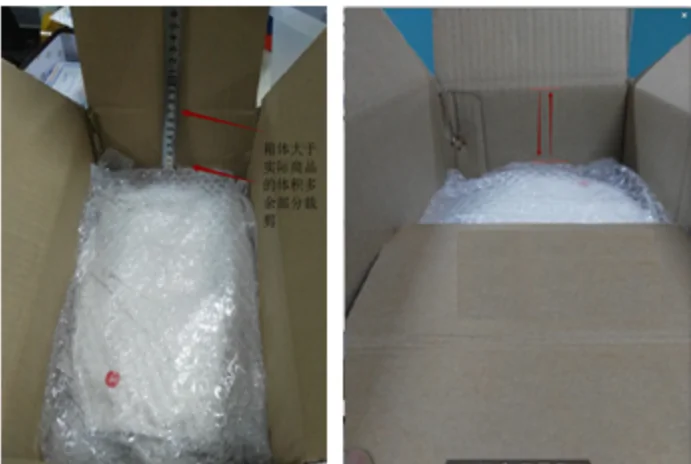
Step two of the packing standard includes cutting paper boxes to reduce volume for irregular items. On a volumetric route that is not tidiness, it is the third number in the formula going down while the goods stay the same.
It also explains why asking for packaging to be removed changes your bill in two directions at once: less actual weight, and a different estimate from the one the system already made.
Then the number is set twice
Two measurements, two moments, and a settlement rule that is not symmetric.
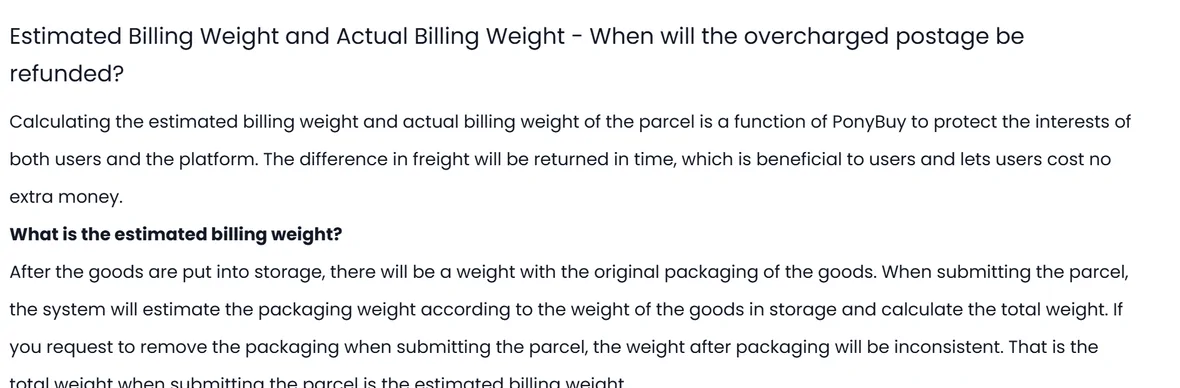
Estimated billing weight, at submission
The system takes the weight recorded when the goods arrived, adds an assumed packaging weight, and totals it. If you asked for packaging to be removed, this estimate is knowingly inconsistent with what will actually be packed.
Actual billing weight, after packing
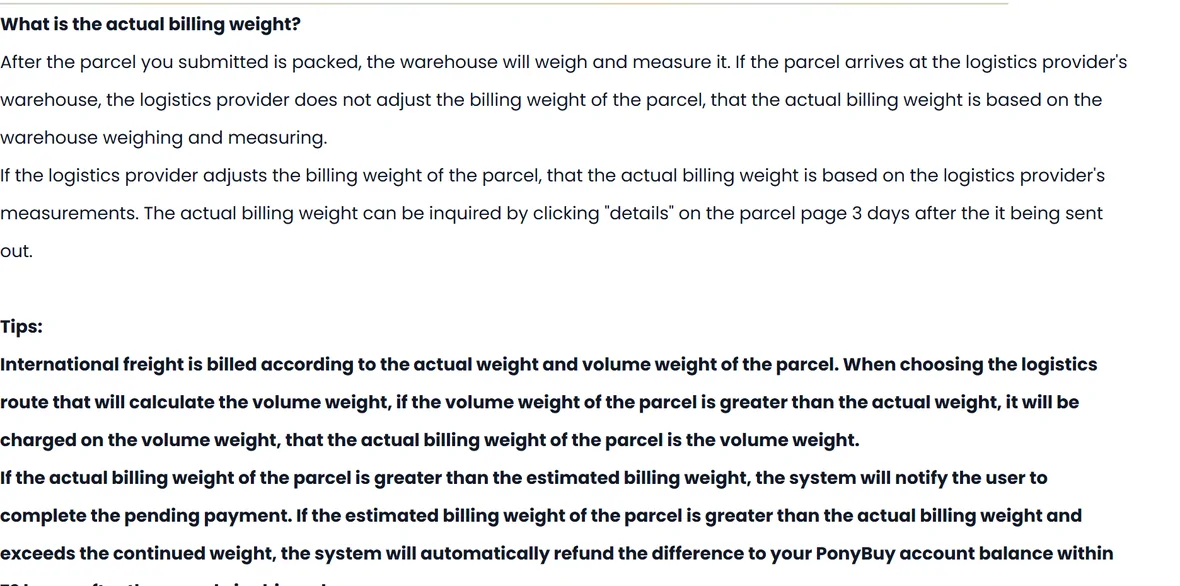
The warehouse weighs and measures the finished parcel. If the courier adjusts the billing weight at their end, the courier figure is the one that counts.
Visible three days after dispatch
Under details on the parcel page. Not before.
Settlement, in one of two directions
Actual higher than estimated and you are asked to complete a pending payment. Estimated higher than actual, and larger than one continued weight step, and the difference goes back to your PonyBuy balance within 72 hours of dispatch.
The calculator
Put both weights and both scenarios in one place
Fill in the box dimensions and the tool will compare volumetric against actual and bill you on the larger, the way a measuring route does. Leave them empty and it works on weight alone.
The official estimator asks for the same three numbers, in the same centimetres. Its Length, Width and Height boxes are below; what it will not do is put two packing scenarios side by side, which is the whole reason this one exists.


Where the official estimator stops
PonyBuy has a public shipping fee estimation page. It takes a destination, a weight, a category and three dimensions, and it returns routes. It does not need a login, which makes it genuinely useful early on.
What it does not do is compare scenarios. It estimates one parcel at a time, so the question this whole site is about, whether these five things should be one box or three, is not a question it is shaped to answer. PonyBuy also notes on the page itself that the estimate is reference only and the real charge follows warehouse packing.
Declared value is a separate axis from weight
Combining raises the value carried by a single parcel, and thresholds are assessed per parcel. A group of small shipments that each sat under a limit can become one shipment that does not.
These figures are what the PonyBuy help centre published on the day we checked. They are not our numbers and they are not advice. Thresholds move, sometimes sharply, and the authority that matters is the one in your own country.

| Destination | Threshold listed by PonyBuy | Also noted in the same article |
|---|---|---|
| European Union | 150 EUR | VAT applies from zero since the low value exemption ended, IOSS suggested below the threshold |
| United States | 800 USD | Stated tariff range 0 to 37.5 percent |
| United Kingdom | 135 GBP | VAT charged from zero since January 2021 |
| Canada | 20 CAD | Stated tariff range 5 to 20 percent |
| Australia | 1000 AUD | Stated tariff range 0 to 10 percent |
| Mexico | 50 USD | Stated tariff range 0 to 40 percent |
| Russia | 200 EUR | Separate weight limits by transport mode |
| Switzerland | 300 CHF | Quantity limits on food, alcohol and tobacco |
| Norway | 350 NOK | A VOEC number is required, and parcels declared at or above 3000 NOK are not accepted |
Reference of Tariff Threshold and VAT Reform in the UK and EU Countries, both checked 2026-08-06. Reproduced as published, not verified against any customs authority. Confirm the current figure for your country before you declare anything. Original page.
The exchange rate you actually pay
Everything in this guide is quoted in yuan, because that is what the shops quote. The figure you see on screen may not be. PonyBuy has a currency switcher, and with USD selected, prices are redrawn in dollars for you to read.
Two things follow from that. The first is that the converted figure is a display. The panel on the left offers four currencies and prints no rate beside them and no date, so the screen cannot tell you which rate produced the number or how old it is. The second is that the conversion which decides your bank statement happens somewhere else entirely, when your card or PayPal settles a yuan charge at its own rate, often with a foreign transaction fee on top.
So there can be two conversions between a listing and your statement, and only one of them is on this screen. The practical habit is small: set the display currency once and leave it, so that comparisons within a haul are at least made on the same basis, and treat the yuan figure as the real one when you are deciding whether something is worth shipping. If you want the true cost of a haul, the number to look at is the amount your bank actually debited, not the one the site showed you at checkout.

Four ways the bill surprises people
All four are documented. None of them are visible at the moment you press submit.
A refund smaller than one weight step never arrives
The refund rule requires the estimate to exceed the actual by more than a continued weight step. Under that, the difference is not described as returnable.
Asking to remove packaging desynchronises the estimate
PonyBuy states plainly that the estimate is built on the arrival weight including original packaging. Remove it and the two numbers were never going to match.
A volumetric route quietly bills the bigger number
If the box is large and light, the charged weight is the volumetric one. Nothing on the submit screen labels this as the reason.
Rehearsal packing turns the estimate into a measurement
For 20 RMB per parcel the warehouse packs your items, weighs the result and tells you before you commit to the parcel order. On a large haul that is the cheapest certainty on the menu.
IOSS, if you are shipping into the EU
Some PonyBuy routes offer IOSS, where the platform pays import VAT on your behalf and clearance is simplified. The conditions are specific and worth reading before you pick that route.
Once a parcel using IOSS is submitted, the total declared value cannot be changed; altering it means cancelling and resubmitting. The minimum declared value is limited to thirty percent of the goods value. PonyBuy will not give you the IOSS number it used. And using IOSS does not guarantee you will not be taxed again locally, in which case you clear, pay, and then claim it back on the platform with the tax bill and proof of payment.